
100% Automatic & Free Remove Image Background
By relying on massive data training and AI algorithm learning, we are committed to creating a more intelligent, efficient, and user-friendly software for removing image backgrounds.
By relying on massive data training and AI algorithm learning, we are committed to creating a more intelligent, efficient, and user-friendly software for removing image backgrounds.
No matter how complex your image is, we use powerful artificial intelligence and advanced algorithms to enable one-click removal of image backgrounds, accurately cropping and removing photo backgrounds while preserving complex details and edges, even in challenging areas such as hair and animal fur. Once the background of the image is removed, your image will remain as clear and detailed as before.
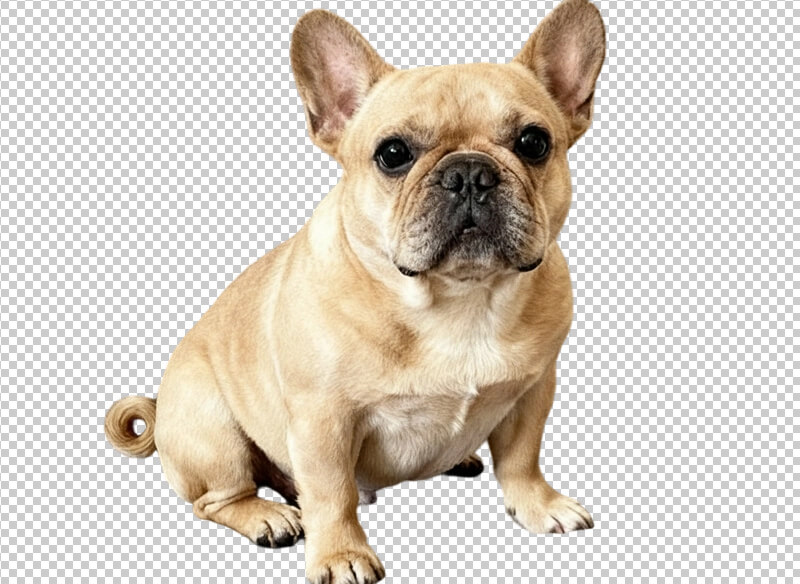

Without any professional image processing skills, the subject (e.g., people, products, pets) in the image can be separated from the original background in just a few seconds and replaced with any image background you want. At the same time, you can also unleash your creativity to add shadows, crop image sizes, adjust image colors and lighting, add text, and use other image editing features.

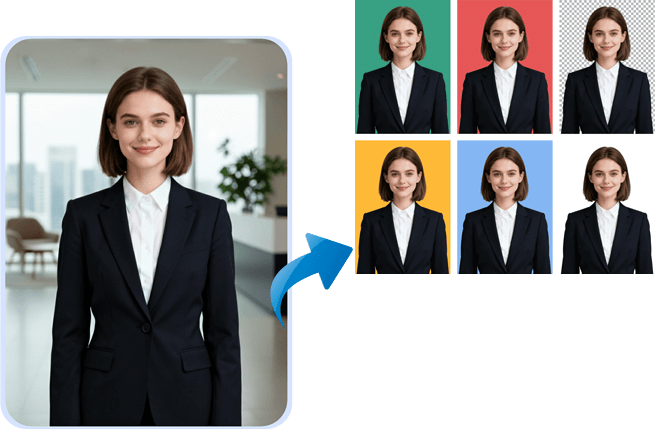
We help you quickly create ID photos for various documents such as ID cards, visas, employment applications, and driver's licenses. After uploading the photo, the AI will automatically remove the background of the image within a few seconds. You can choose red, white, blue, or other background colors as needed, and freely adjust the position and size of the portrait. We also provide beauty and brightening functions to help you quickly generate clear and natural high-quality ID photos!
Upload the picture you want to edit: click “Magic Cutout”, select the areas to retain and remove, and click “Apply” to complete the cutout; you can use features such as “Sticker” and “Text”; after completion, you can preview it first, then download high-definition pictures, and we support downloads in JPG/PNG formats.
Sure. After removing the background of the image, 123remove.com allows you to directly choose a solid color background, gradient background, or add a custom image as the new background. The operation is simple, flexible, and free.
Sure. After the system automatically recognizes the subject, if the edges are not ideal, you can use editing tools to manually touch up or erase them, making fine adjustments to better meet your needs.
123remove.com supports uploading and using mainstream image formats such as JPG, PNG, and WEBP. After removing the image background, it can also be exported in transparent-background PNG format or white-background JPG format.
Sure. 123remove.com supports batch image cutout, with a maximum of 50 images at once. After removing the image backgrounds, we support packaged downloads of the images, which is very convenient and fast.
Oh my god, it's so convenient! It used to take a long time to remove the background of a piece of clothing in Photoshop, but this website can do it in just a few seconds with one click. The edges of the plush toys are handled very cleanly, saving me so much trouble!

I tried my photo with my hair flying, and the effect was better than expected! Most of the hair strands were separated, and the background was very clean. For a free website, this effect is already very impressive and can fully meet daily entertainment needs.

Before the meeting, I urgently needed a product image with a transparent background. Click on this website and you can use it without downloading or registering. Simply drag the image in and the result will appear in seconds. Download it directly in PNG format—it perfectly solved my urgent need, and the PPT instantly became more sophisticated. This is the ideal efficiency tool in my heart!

The image background removal function is very powerful. Upload product images and the background will be cleaned up in just a few seconds! The edge treatment is very accurate—even hair strands can be retained perfectly. After removing the background, the subject is very clean, and no flaws are visible when placed against different backgrounds! There are also many other useful image functions, so I decided to bookmark this website.

I only came across this website by chance. The background removal function is very useful, and the image editing functions are complete and easy to operate. For beginners like me, it is very good and easy to learn.

The best part is that there is no need to install or register—you can use it immediately with just a click, and the image background can also be replaced. It is too friendly for us computer novices!
